Every shortcut.
Always visible.
A floating shortcut panel for Mac that detects your active app and shows every keyboard shortcut at a glance. Fast, ergonomic, and always within reach.

Every shortcut.
Always visible.
A floating shortcut panel for Mac that detects your active app and shows every keyboard shortcut at a glance. Fast, ergonomic, and always within reach.


One-time purchase · No subscription · No tracking
- $7.99 once
- 113 apps
- 5,688+ shortcuts
- no subscription
- no tracking
You know the shortcut. You just forgot it.
You've looked it up before. Command-something. Maybe Shift was involved. You open a new tab, search "Figma shortcuts," scroll past the ads, find the one you need, switch back... and it's gone.
Or maybe you hold a key and stare at a tiny overlay, trying to parse a wall of text before it vanishes.
Shortcuts are supposed to save you time, not cost it. They should be visible, organized, and there the moment you look — not hidden behind a search or a long press.
Take shortcuts, not detours.
One interface, everything you need to know.
5,688+ shortcuts across 113 apps
From Finder basics to Figma layers to Excel formulas — the shortcuts you actually use, organized by app, ready at a glance. No memorization required.
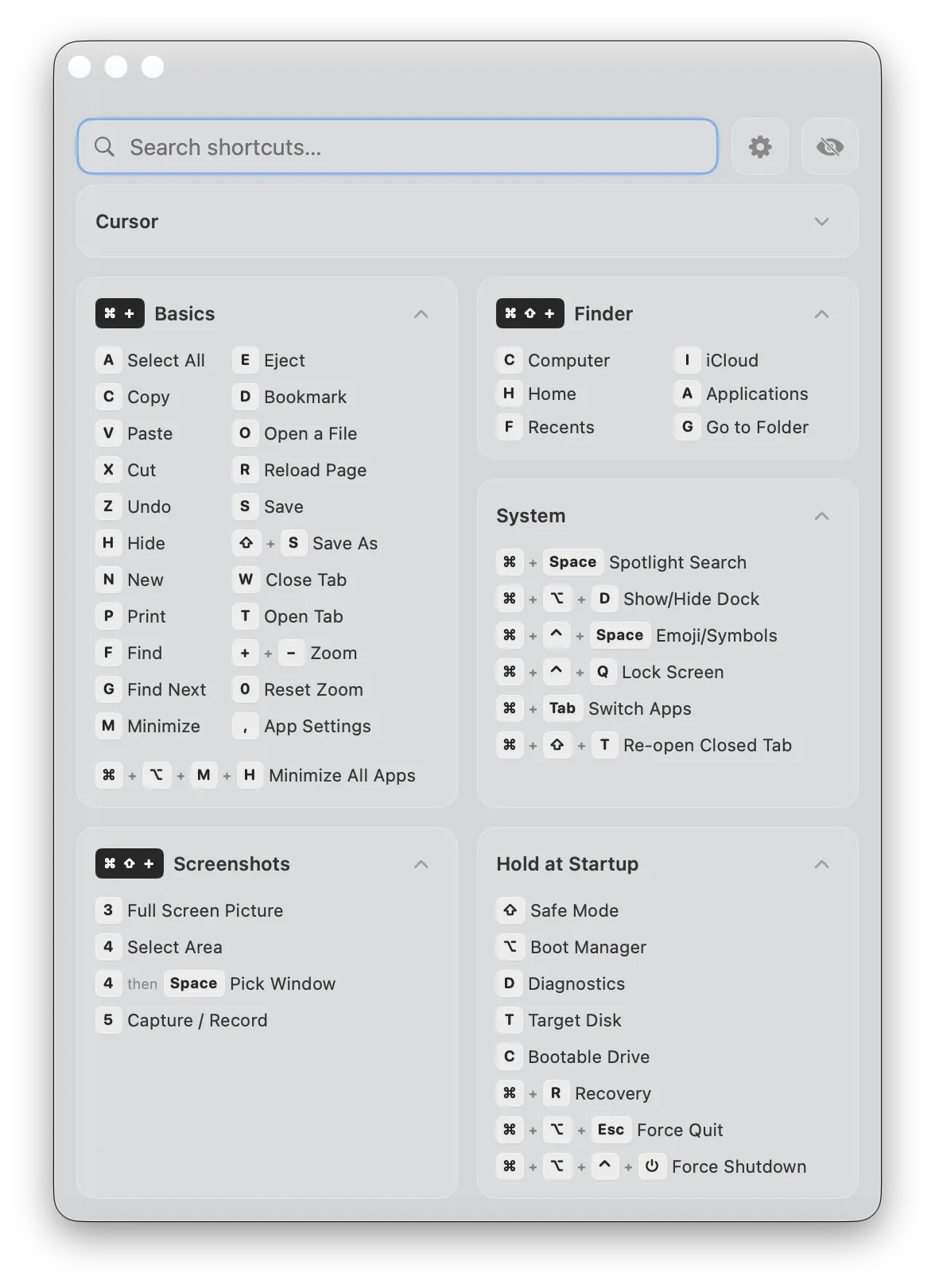
Always there. Never in the way.
KeyShortcut floats above your workspace in a compact glass panel. It doesn't steal focus, doesn't block your clicks, doesn't interrupt your flow. Pin it to any corner or drag it wherever you want. Toggle it with one hotkey.
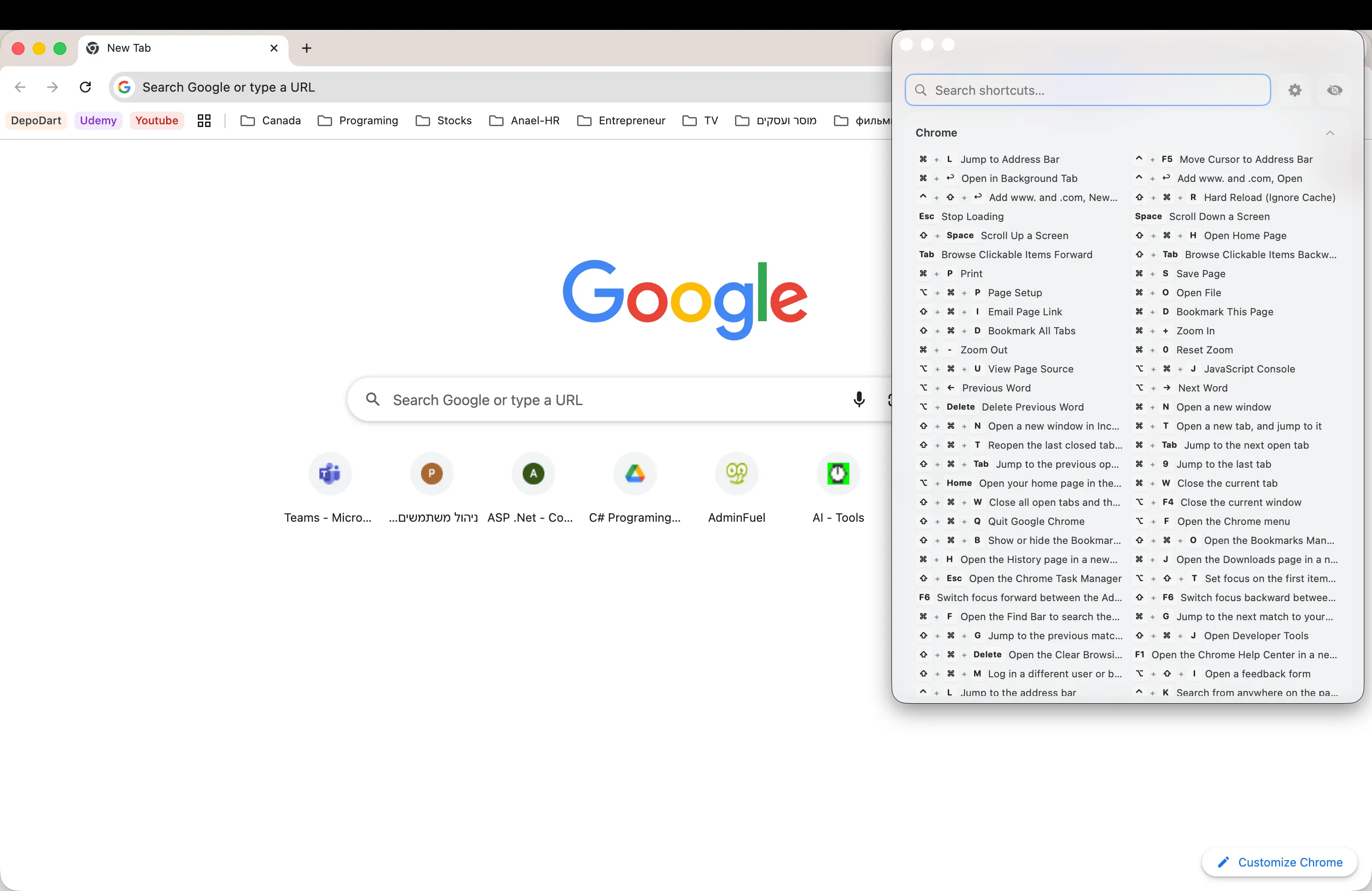
Knows what you're using
Switch to Figma, and Figma shortcuts appear. Switch to VS Code, and you see VS Code shortcuts. KeyShortcut detects your active app and shows the right shortcuts automatically. This is off by default. Switch it on in Settings.
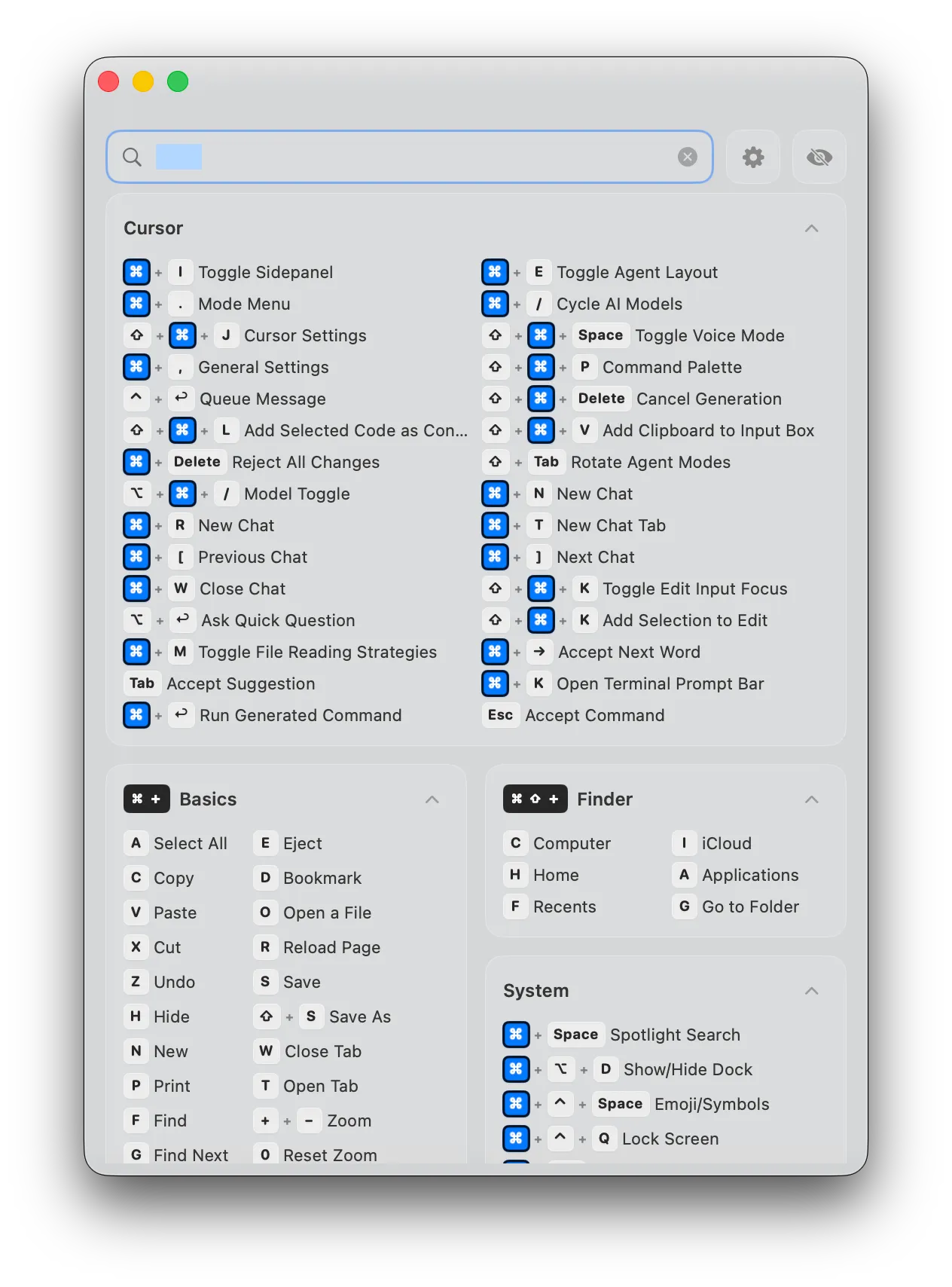
Search every app at once
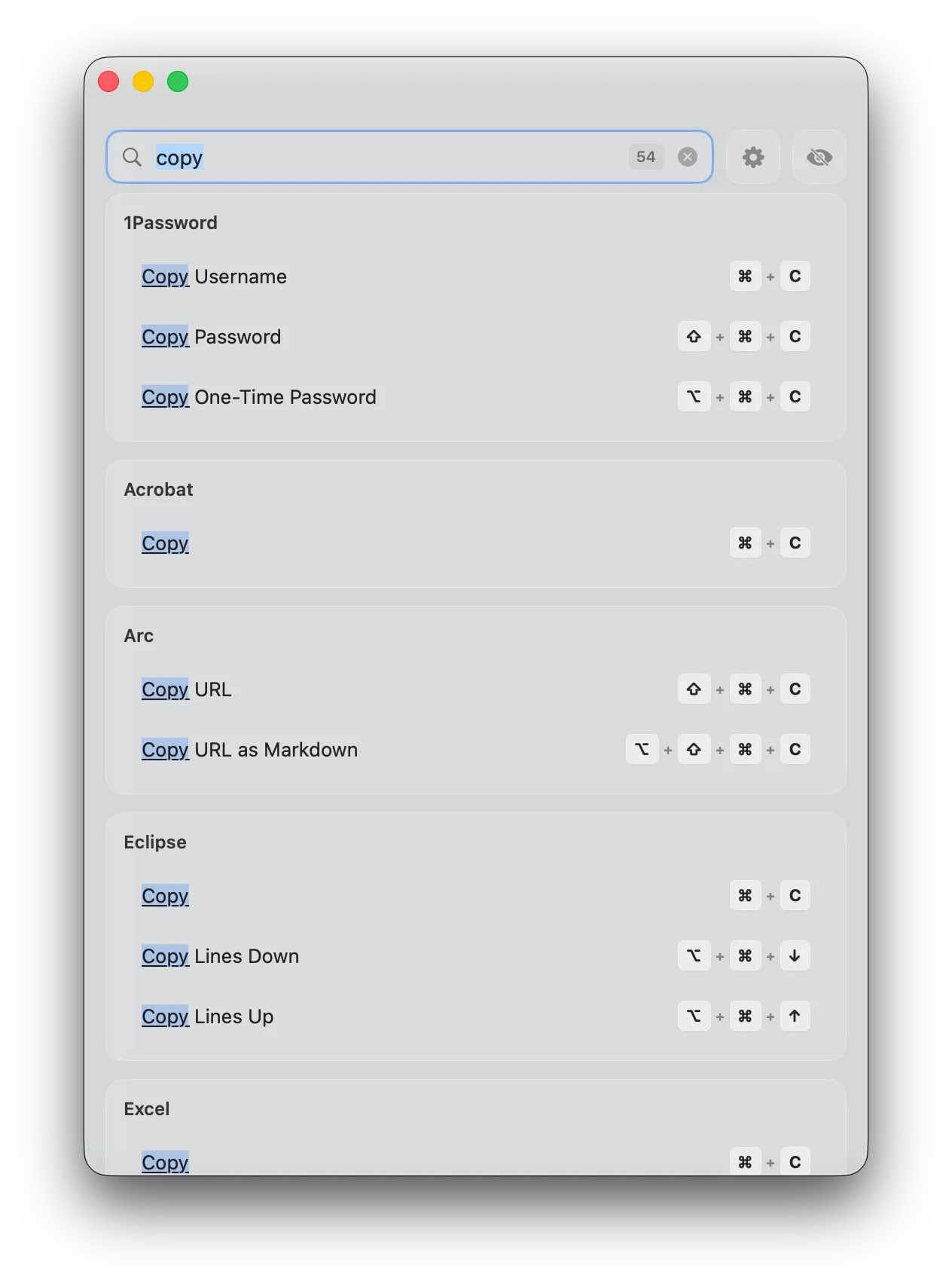
Type a word and KeyShortcut searches the shortcuts of every app. Results are grouped by app, and a counter shows how many were found.
Crafted with care.
Down to every pixel.
Glass UI
Follows your system appearance. Light mode, dark mode — it looks right either way.
11 languages
English, Spanish, French, Portuguese, Russian, Chinese, Hindi, Arabic, Hebrew, Bengali, and Urdu. Interface and shortcuts, fully localized.
Lives in your menu bar
No Dock icon. Click the ⌘ icon in the menu bar or press ⌃⌘K to show or hide the panel.
Clipboard preview
See what's on your clipboard without pasting it. A small toast appears when you copy — tap it for the full contents.
Instant search
Type to search across every shortcut in every app. Results are grouped and ranked so you find what you need in a keystroke or two.
Completely private
No analytics. No tracking. No data collection. Works offline, and your settings never leave your Mac.
Beautiful shortcut cards
Every shortcut displayed with styled keycap badges — just like the real keys on your keyboard.
Shortcuts for the apps
you use every day
113 apps. 5,688+ shortcuts. From system essentials to pro tools.
 Safari
 Chrome
 Arc
Arc Firefox
 Brave
Brave Edge
Edge Vivaldi
 Xcode
Xcode VS Code
 Cursor
 IntelliJ IDEA
 Sublime Text
 PyCharm
 GoLand
 PHPStorm
 CLion
CLion RubyMine
 Android Studio
 iTerm2
 Warp
Warp Vim
Vim Chrome DevTools
 Sketch
 Photoshop
 Illustrator
 After Effects
 Blender
 Slack
Slack Discord
 Telegram
 Zoom
Zoom Teams
Teams Gmail
Gmail Notion
 Obsidian
 Things
 Todoist
 Jira
Jira Trello
 Asana
Asana ClickUp
 Google Docs
 Google Sheets
 Google Drive
 Bear
Bear 1Password
 Raycast
 Word
Word Excel
Excel PowerPoint
 Acrobat
 Spotify
 VLC
VLC Final Cut Pro
 DaVinci Resolve
 Mail
Mail Notes
Notes Calendar
 Music
MusicDon't see your app? Import a shortcut pack in Settings.
Browse by category
Find shortcuts for your favorite apps, organized by workflow.


Apple Apps







Development


















Productivity





Design






Microsoft Office

System Utils

Apple Apps17 apps
Development33 apps
Productivity21 apps
Design13 apps
Microsoft Office3 apps
System Utils1 apps
Questions and answers
Everything you need to know about KeyShortcut.
What macOS versions does KeyShortcut support?
Is this a subscription?
Does it work with my favorite app?
Is it private?
Can I add my own shortcuts?
Does it support my language?
How is KeyShortcut different from free alternatives?
Can I use it on multiple Macs?
Your Privacy Matters
Zero data collection in the app. Everything stays on your Mac.
Privacy Policy
- ✓The KeyShortcut app does not collect, store, or transmit any personal data. No analytics or tracking frameworks are included in the app.
- ✓The app downloads shortcut data from Supabase (read-only). No personal data or device identifiers are sent. The app registers with Apple's MetricKit framework. The released app does not read, store or send what it receives.
- ✓All user preferences (favorites, references to imported shortcut packs, window position) are stored locally on your device using macOS UserDefaults.
- ✓KeyShortcut does not request Accessibility permission and does not monitor your keystrokes. Active app detection reads only the identifier of the frontmost app.
- ✓The keyshortcut.com website uses Cloudflare Web Analytics (cookie-free, no personal data) and Google AdSense. These services apply only to the website, not the app.
Terms of Use
- ✓KeyShortcut is provided "as is" without warranty of any kind, express or implied.
- ✓You may use KeyShortcut for personal and commercial purposes.
- ✓The app is distributed exclusively through the Mac App Store and is subject to Apple's standard terms and conditions.
- ✓We reserve the right to update these terms at any time. Continued use of the app constitutes acceptance of any changes.
Data Handling
- ✓Zero data collection in the app — we never see or access your information.
- ✓All app data stays on your device in the macOS app sandbox.
- ✓No third-party SDKs, analytics, or advertising frameworks in the app.
- ✓Your settings are not synced anywhere. They stay on your Mac.
- ✓Uninstalling KeyShortcut removes all associated data from your system.
- ✓The website uses Cloudflare Web Analytics and Google AdSense. See our full privacy policy for details.
Take the short way.
One-time $7.99.
5,688+ shortcuts across 113 apps. No subscription. No tracking. Just shortcuts, always within reach.
macOS 13.0+ · No account required